


Crossword Puzzle Explorer
4.84.80K Reviews
App Specs
- Version
- 1.400.0
- Updated On
- License
- Free
- Downloads
- 1,000,000+
- Developer
- PlaySimple Games
- Categories
- Word
- Platform
- Android, iOS
Screenshots

 Analysis by AppCompare
Hey there, puzzle enthusiasts! If you've been on the hunt for a way to pass some time or sharpen your brain, let me introduce you to the Crossword Puzzle Explorer. This app is like having a pocket-sized newspaper with a never-ending supply of crosswords right at your fingertips. I've been diving into it, and here's the lowdown.
A familiar kind of puzzle, with a few useful distinctions
Crosswords are easy to pick up but can take real patience to finish, which is why I like having one available for a short break rather than needing to plan a whole gaming session. PlaySimple Games makes this a word game for Everyone, and its broad easy-to-hard range gives it a more approachable starting point than a collection aimed only at expert solvers. It is free to install, though in-app purchases are offered at prices from $0.99 to $49.99 per item. That gives you a concrete spending detail to weigh before playing, without implying that paying is necessary to enjoy the puzzles.
Its offline play is a particularly practical distinction. I would consider it for a flight, a commute with patchy reception, or a waiting room where I do not want to depend on mobile data. That makes it different from word games whose central draw is live multiplayer or a constant online feed. It also suits someone who prefers solving quietly at their own pace. If your main reason to play is to compete directly with a friend in real time, a multiplayer-first word game would be a better fit.
Who will get the most from it
I can see this working well for a casual solver who wants familiar crossword-style thinking without starting at a punishing difficulty. It also makes sense for an experienced player who wants a lighter puzzle between more demanding newspaper crosswords. The range of challenge matters here: on a tired evening, an easier puzzle can feel relaxing, while a harder one gives you something to return to when you have more attention to spare.
A realistic use is keeping a puzzle for a few spare minutes while an appointment runs late, then coming back to it another time. Crosswords reward a flexible approach: a clue that feels impossible may become obvious after you fill crossing answers. I recommend moving on instead of repeatedly guessing at one stubborn clue. That small habit makes the session less frustrating and turns partial progress into a useful way to solve, rather than a sign that you are stuck.
On the other hand, I would skip this if you want fast action, a story-led game, or a social experience built around competing with other people. A crossword asks you to read carefully and sit with uncertainty. The offline aspect is a plus for self-contained play, but it does not make the game a substitute for a live head-to-head word challenge. Likewise, if you only enjoy cryptic or highly specialized crossword conventions, the general easy-to-hard framing may not match what you are seeking.
Getting Started with Crossword Puzzle Explorer
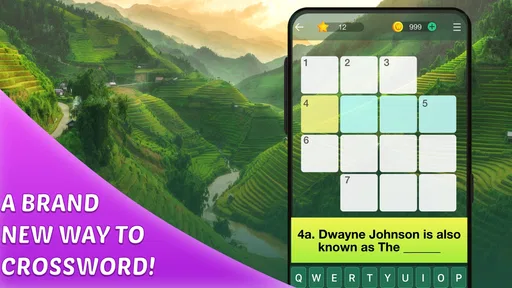
First off, downloading and setting up the Crossword Puzzle Explorer is a breeze. Just head over to the App Store or Google Play, hit download, and you’re good to go. The interface is clean and welcoming, making it super easy to navigate. Whether you’re a seasoned crossword aficionado or a total newbie, you’ll feel right at home.
Worth Reading Before You Choose

EA SPORTS FC Mobile 26 Is a Bigger Football Game, but It Takes Time

Flipboard Shows What News Apps Must Do Beyond the Feed

Switching to Android Auto Means Rethinking Your Driving Routine

Google Calendar Makes a Crowded Week Easier to Manage

Ludo King Makes the Most of the Minutes Between Plans

Baby Panda World Brings Quick Play to Modern Phones, but Its Game Library Feels Busy
Features That Make It Stand Out
So, what sets this app apart from the myriad of others out there? For starters, the variety of puzzles is impressive. You’ve got your classic daily puzzles that range from easy to challenging, keeping things fresh and exciting. And if you’re feeling particularly adventurous, dive into their themed puzzles section. It’s a fun way to test your knowledge on specific topics, and trust me, it’s addictive!
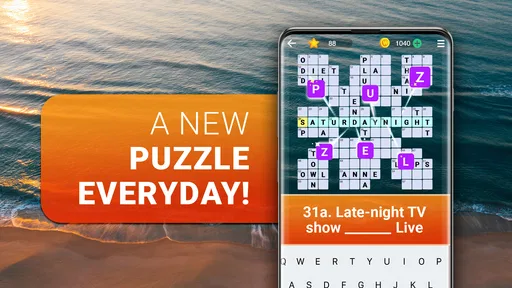
Another neat feature is the daily challenge. It’s a great way to keep your brain active and engaged. Plus, there’s something satisfying about completing these challenges and seeing your progress. The app even tracks your stats, so you can see how you’re improving over time.
How I’d approach a puzzle session
One useful way to avoid turning a casual game into a chore is to set a small personal goal before you begin. I might try to finish one puzzle, or simply fill in a few answers during a short break. That keeps the experience rewarding even if I do not complete the grid. With clues that vary in difficulty, I find it helpful to answer the straightforward ones first; their crossing letters can give a foothold on less familiar clues.
The themed puzzles can also change how I approach the clues. A topic gives me a reason to think in a narrower area, but it can be a disadvantage if I do not know much about that subject. I would treat a theme as a hint about the puzzle’s flavor, not a guarantee that every answer will be obvious. If one theme is not clicking, switching to a more general puzzle is a sensible way to keep the session enjoyable.
The daily challenge and progress tracking mentioned above offer a reason to build a routine, but I would use that record as a personal reference rather than a measure of ability. A quick solve on an easy day and a long solve on a hard one are not directly comparable. For a fairer sense of progress, I would notice whether I am getting better at spotting clue patterns or using crossing letters, not just whether a number in a stats screen changes.
User Experience and Design
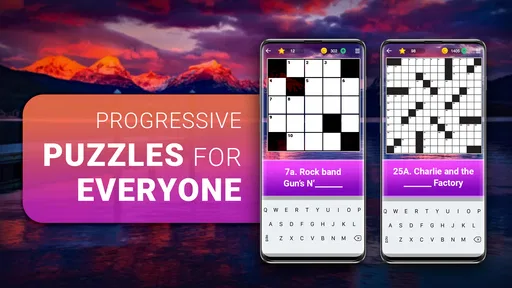
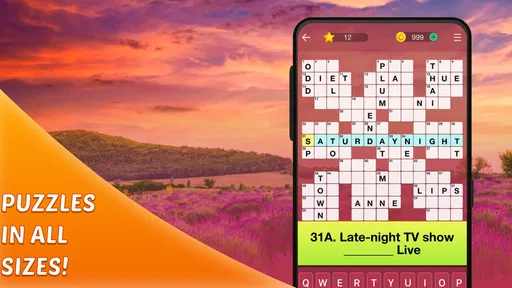
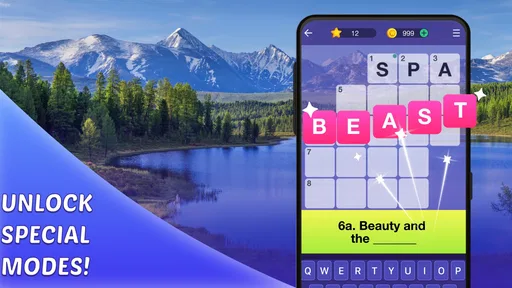
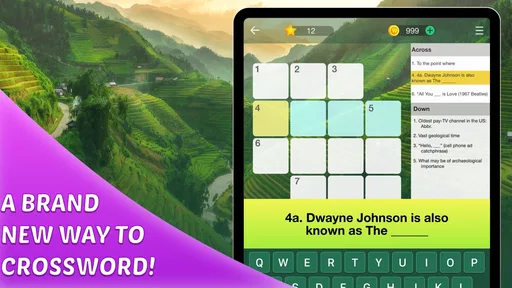
The design of the app is sleek and user-friendly. One thing I really appreciate is how the app highlights the word you’re working on, making it easier to focus and avoid those pesky mistakes. And if you’re ever stuck, there’s a handy hint system to nudge you in the right direction without giving everything away.
That hint option is a useful pressure valve, especially for newer solvers who might otherwise abandon a puzzle after one difficult clue. I would save hints for moments when I have already tried crossing answers and reconsidered the clue, rather than tapping immediately. That way, the puzzle still feels like mine to solve. If you prefer solving with no assistance at all, you can simply treat hints as an emergency option rather than part of every session.
Small interface aids matter in a crossword because a wrong letter can affect several answers. The highlighted active word helps me keep track of which entry I am editing, while crossing clues provide a second way to check whether an answer fits. I still recommend reading the clue again before settling on a guess: an apparently plausible word can create confusion elsewhere in the grid. The interface can make entry clearer, but it cannot replace careful interpretation.
For those who love a bit of competition, the app includes a leaderboard. It’s a fun way to see how you stack up against other players across the globe. You might find yourself coming back just to inch up the rankings!
Competition, spending, and what to expect
The leaderboard gives solo solving a competitive angle, but I would not treat a ranking as a pure test of crossword skill. Players may approach puzzles at different speeds and with different habits, and a leaderboard is most enjoyable when it supplies motivation rather than pressure. If comparing results makes a relaxing game feel stressful, ignoring that element is a reasonable choice. The core appeal remains solving clues, not chasing a position.
On spending, the important practical point is that the game is free to install and offers optional purchases in a stated range from $0.99 to $49.99 per item. I would decide in advance whether I want to spend anything, especially if I am handing a device to a child. The Everyone age rating makes the game broadly suitable for all ages, but it does not itself answer questions about purchase controls or household settings. I would use the device’s own purchase protections if that matters to you.
The game has a 4.9 average from around 40,000 ratings, and more than a million installs. Those figures suggest that it has reached a substantial audience, but they cannot tell me whether its clue style will suit your tastes. I would give more weight to whether you enjoy the easy-to-hard format, themed puzzles, and self-paced solving than to popularity alone. The current version is 1.388.0, and it runs on Android 8.0 or later.
Why You'll Love It
If you’re like me and enjoy a challenge, you’ll love the sense of accomplishment you get from solving a tough puzzle. It’s like a mini victory each time you complete one. Plus, it’s a fantastic way to unwind after a long day. Just plug in and let the words take over.
What’s more, the Crossword Puzzle Explorer integrates seamlessly with your daily routine. Whether you’re commuting, waiting for an appointment, or just chilling at home, it’s an easy way to keep your mind sharp and entertained.
Where it sits among other word games
Compared with word-search games, a crossword asks me to work from definitions and use intersecting answers, so it feels more like a reasoning exercise than a hunt for visible letter patterns. Compared with a large newspaper puzzle, a mobile game is easier to dip into in brief sessions, though someone who values a particular publication’s voice or a specialist level of difficulty may prefer that traditional option. The key trade-off is convenience and a range of challenge against the distinctive style of puzzles found elsewhere.
It is also a different kind of casual play from word games built around rapid rounds. Here, there is room to pause, reread a clue, and return later, which makes it better suited to quiet moments than to a crowded social setting. The offline availability makes that flexibility especially useful when connectivity is unreliable. If I wanted a game designed around live interaction, I would choose another kind of word title; if I wanted a crossword I could fit around the day, this is the more natural choice.
What I would check before settling in
Before relying on it for a particular trip or routine, I would open the game while connected and make sure the puzzles I want are ready for offline play. The game is described as playable offline, which is valuable, but a quick check before leaving home is a sensible habit for any app I plan to use without a connection. I would also keep expectations focused on solving: offline play is most useful when I want a self-contained activity, not when I expect online competition to be the point.
For a beginner, I would start with easier clues and use crossings to build confidence before reaching for hints. For a regular solver, I would choose harder puzzles when I have enough time to think rather than trying to force a finish during a rushed break. Those are small choices, but they help the game fit the day instead of making the day revolve around the game.
Final Thoughts
All in all, Crossword Puzzle Explorer is a must-have for anyone who loves a good brain teaser. It’s got everything you need to keep entertained and challenged, all wrapped up in a neat little package. So go ahead, give it a try, and see how many puzzles you can conquer!
And remember, you can grab it from your favorite app store and start exploring those crosswords today. Happy puzzling!
Pros
- Intuitive interface for easy navigation.
- Daily puzzles keep content fresh.
- Hints available without extra cost.
- Variety of difficulty levels to suit all.
- Minimal ads for an uninterrupted experience.
Cons
- Limited offline access to puzzles.
- Occasional lag in older devices.
- No option for custom puzzles.
- Requires internet for leaderboard.
- Limited themes and customization options.
FAQs for Crossword Puzzle Explorer
What platforms is Crossword Puzzle Explorer available on?
Crossword Puzzle Explorer is available for both Android and iOS devices. You can download it from the Google Play Store for Android or the Apple App Store for iOS. The app is optimized for smartphones and tablets, ensuring a smooth user experience across different devices.
Does Crossword Puzzle Explorer require an internet connection to play?
While Crossword Puzzle Explorer can be played offline, some features, such as daily challenges and leaderboard updates, require an internet connection. Offline play is perfect for completing puzzles on the go, but connecting to the internet enhances the experience with additional content and features.
Are there in-app purchases in Crossword Puzzle Explorer?
Yes, Crossword Puzzle Explorer offers in-app purchases. These typically include additional puzzle packs, hints, and ad-free experiences. While the base app is free, these purchases can enhance your gameplay by providing more content and convenience, allowing you to tailor your experience to your preferences.
How challenging are the puzzles in Crossword Puzzle Explorer?
Crossword Puzzle Explorer offers a variety of puzzles that cater to different skill levels, from beginner to expert. The app regularly updates with new puzzles to keep the experience fresh and engaging. Users can progress at their own pace, making it suitable for both casual players and crossword enthusiasts.
Can I sync my progress across multiple devices?
Yes, Crossword Puzzle Explorer allows you to sync your progress across multiple devices. By creating an account or linking your social media, you can ensure that your puzzle progress, achievements, and purchased content are accessible wherever you log in, providing a seamless experience across platforms.


